Press
Everything you need to write about CNTRLLD
Text you may copy, screenshots of the real thing, and the logos, for both plug-ins. No forms, no login, no embargo.
SPECTRA
Adaptive spectral shaping for mixing and mastering. Product page
Descriptions, ready to use
SPECTRA is an adaptive spectral shaper for mixing and mastering, with a target curve you can draw yourself.
CNTRLLD SPECTRA is an adaptive spectral shaper. It measures your mix as it plays and evens out what does not belong — resonances, masking build-ups, holes — while Follow blends between an absolute reference and your material’s own balance. Six draggable nodes let you redefine the target the correction steers towards.
CNTRLLD SPECTRA combines two ideas that usually come in separate plug-ins: a spectral balancer that compares your music to a reference curve and steers towards it, and a perceptual corrector that leaves your macro balance alone and only evens out what sticks out of it. The Follow control blends between them without steps.
What neither of those offers is here as well: the target is editable. Six draggable EQ nodes are added to the target itself, so the automatic correction works with the shape you drew instead of fighting it.
Three variants share one curve — Live at zero latency, Standard at 4 ms, Master in full linear phase — and every one of them can work on mid and side separately.
The facts
| Developer | CNTRLLD, the Netherlands |
|---|---|
| Product | SPECTRA — adaptive spectral shaper |
| Formats | VST3 and AU on macOSWindows VST3 in preparation |
| Requirements | macOS 11 or later, Apple Silicon or Intel (universal) · 44.1–192 kHz · mono or stereo |
| Latency | Live 0 ms · Standard 4 ms · Master 100 ms+1.35 ms with the true-peak limiter on |
| CPU | About 8 % of one core at 48 kHz on an Apple M2 Pro, and around 14 % on a 2018 MacBook Pro, with everything turned up |
| Copy protection | A signed licence, activated once per computerUp to three computers. Works offline after that. No iLok, no dongle. |
| Trial | 30 days, nothing held back |
| Price | €149 · €99 while version 1 is being finished |
| Release | To be announced |
| Contact | support@cntrlld.com |
What makes it different
- The target is editable. Most adaptive tools decide the goal for you; here six nodes change the goal itself, so the correction and your decision pull in the same direction.
- One curve, three ways to realise it. Live at zero latency, Standard at 4 ms, Master in full linear phase — switching changes how, never what.
- It knows what a break is. When a build-up drops the bass, SPECTRA does not read the track as thin, so the drop does not come back louder than the rest.
- It renders the way it plays. The output is identical at every buffer size, tested bit for bit from 1 to 2048 samples.
- Stereo width that leaves the mono sum alone. Only the side signal is filtered; mid comes out bit for bit untouched, and there is no saturation.
Screenshots
The real interface, 1600 px wide, unretouched. All four are in the SPECTRA press kit.
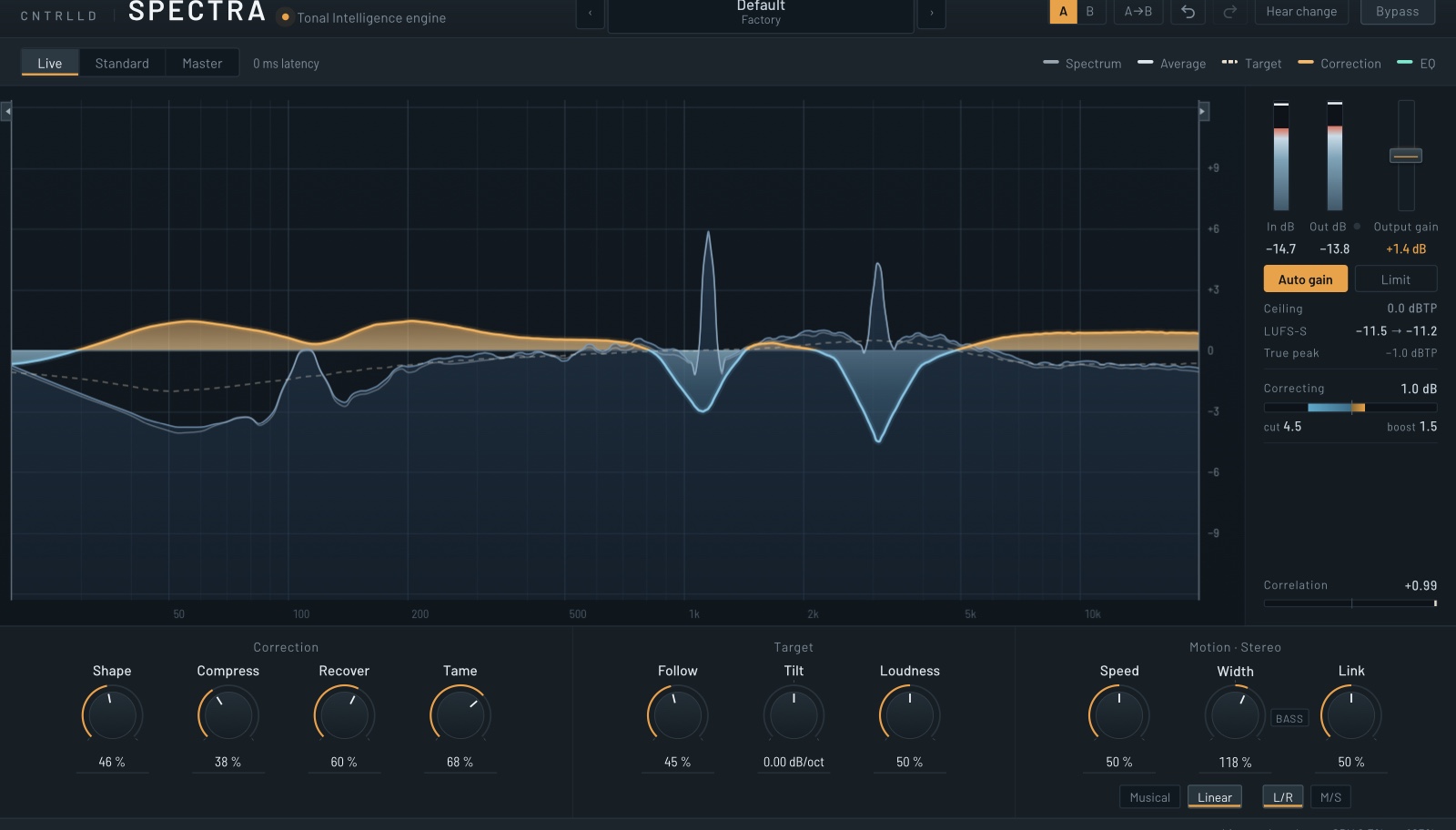
At work
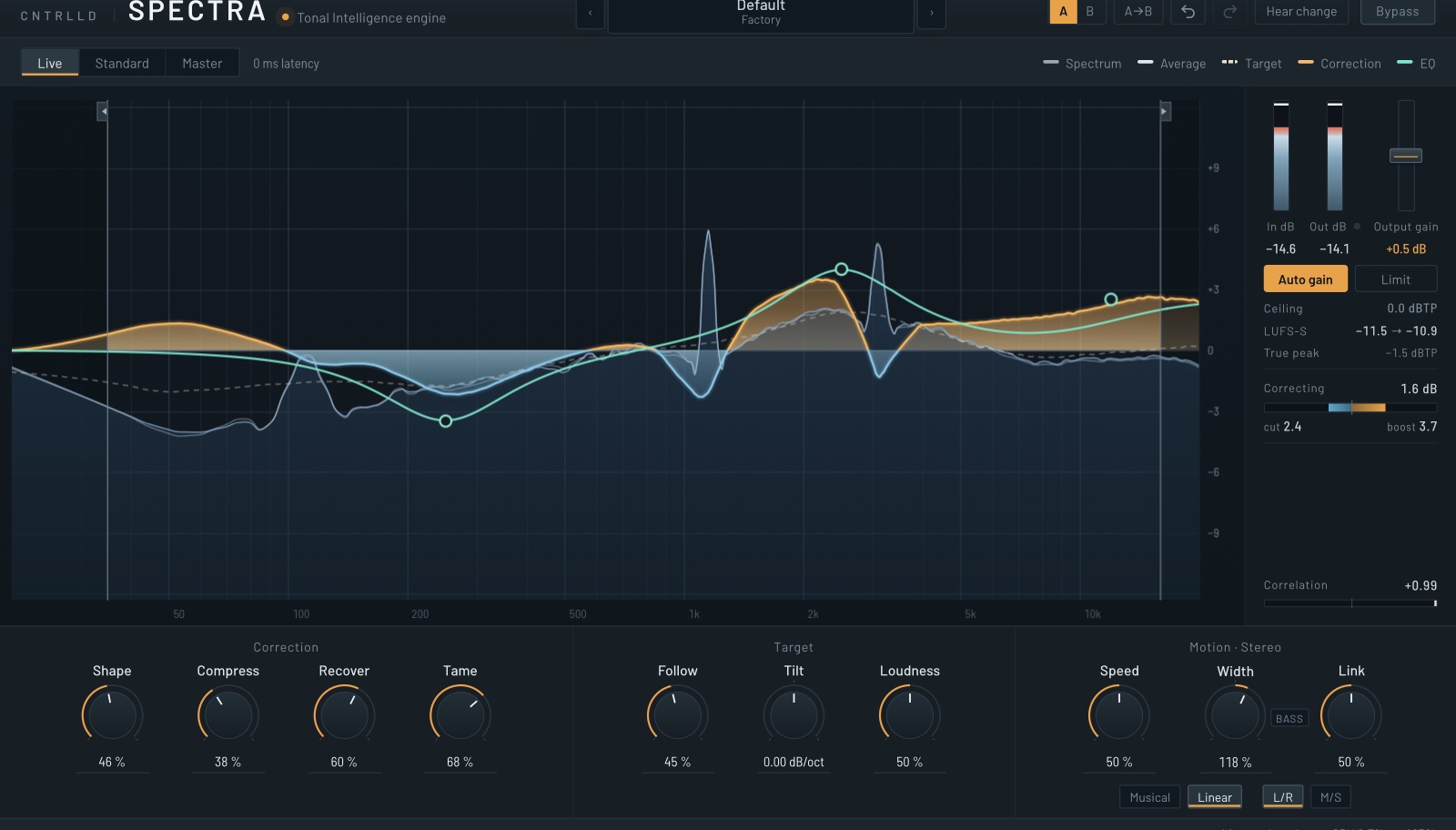
The editable target
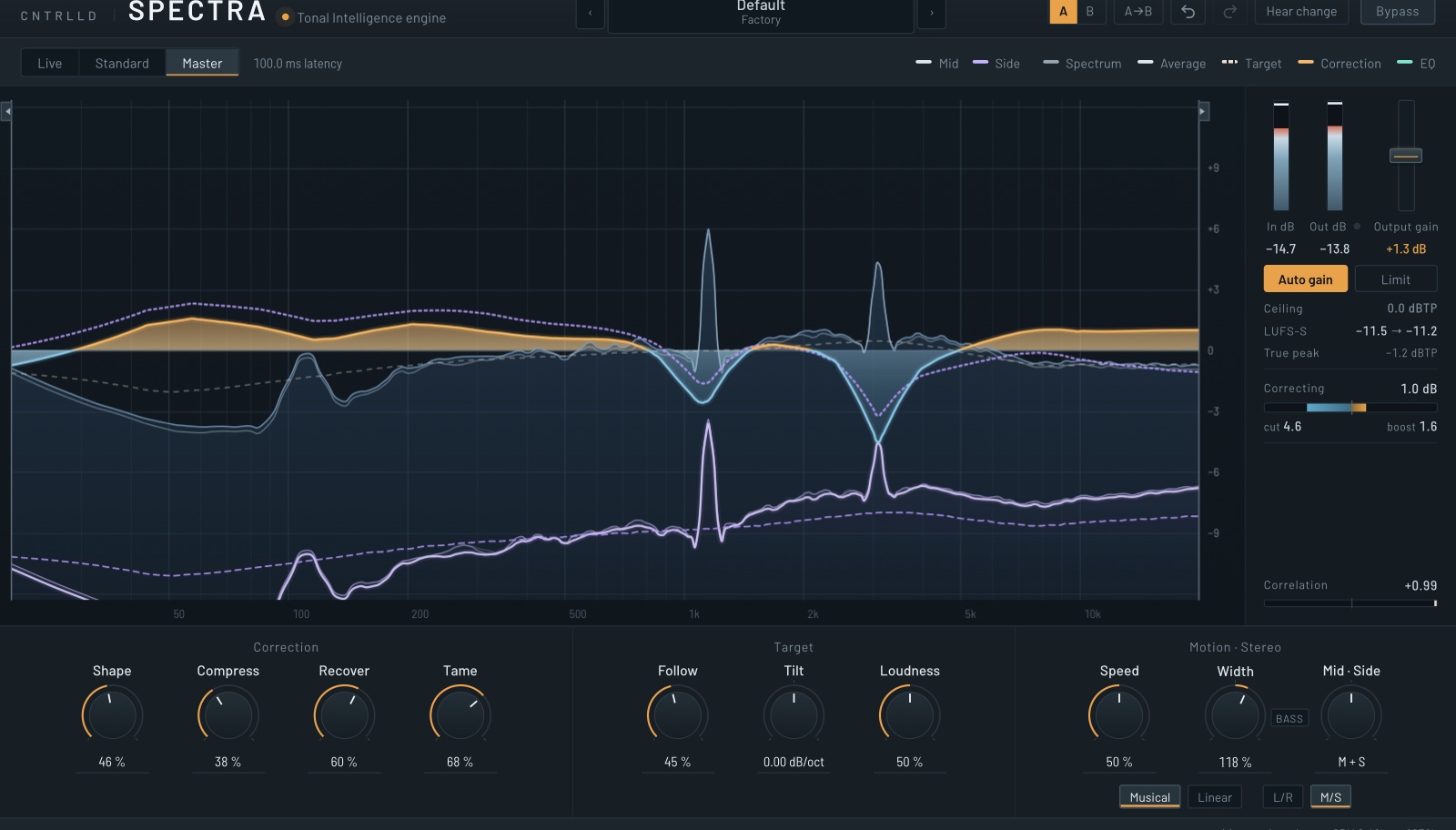
Master in M/S
Logo

Wordmark
ClearVox
Clean vocals, live: removes the room and kills feedback. Product page · ClearVox press kit (0.2 MB)
Descriptions, ready to use
ClearVox cleans live vocals: it removes the room and kills feedback on a vocal mic, and leaves the voice exactly as it was.
CNTRLLD ClearVox takes a live vocal mic and removes what isn’t the voice: the hall’s reverb, the PA and monitor coming back in, the crowd and the band bleed. Feedback is held back before it builds. A trained network decides, a few milliseconds at a time, what belongs to the voice, and leaves that untouched.
On a stage, a vocal mic hears everything: the room, the PA, the monitors, the drums. ClearVox keeps the voice and takes the rest away, while it happens. A trained network decides, a few milliseconds at a time, what belongs to the voice; the voice itself is left as open and intact as it was. Feedback is caught before it builds, and a ring that was caught stays held.
There is one control, Clean: 100 % is the tuned setting, and up to 120 % adds extra protection against rings in the high end. Live runs at zero latency for the stage, Live+ at 5 ms for a little more, and Studio looks ahead for post-production. An optional gate quiets what is left between phrases.
The facts
| Developer | CNTRLLD, the Netherlands |
|---|---|
| Product | ClearVox — room and feedback remover for live vocals |
| Formats | VST3 and AU on macOSMac only for now |
| Requirements | macOS 11 or later, Apple Silicon or Intel (universal) · 44.1–192 kHz · mono or stereo |
| Latency | Live 0 ms · Live+ 5 ms · Studio 48 ms look-aheadStudio is for post-production; the host compensates the delay |
| Copy protection | A signed licence, activated once per computerUp to three computers. Works offline after that. No iLok, no dongle. |
| Trial | 30 days, nothing held back |
| Price | €49.95 during the beta, every update through version 1 included |
| Status | Beta |
| Contact | support@cntrlld.com |
Screenshot and logo
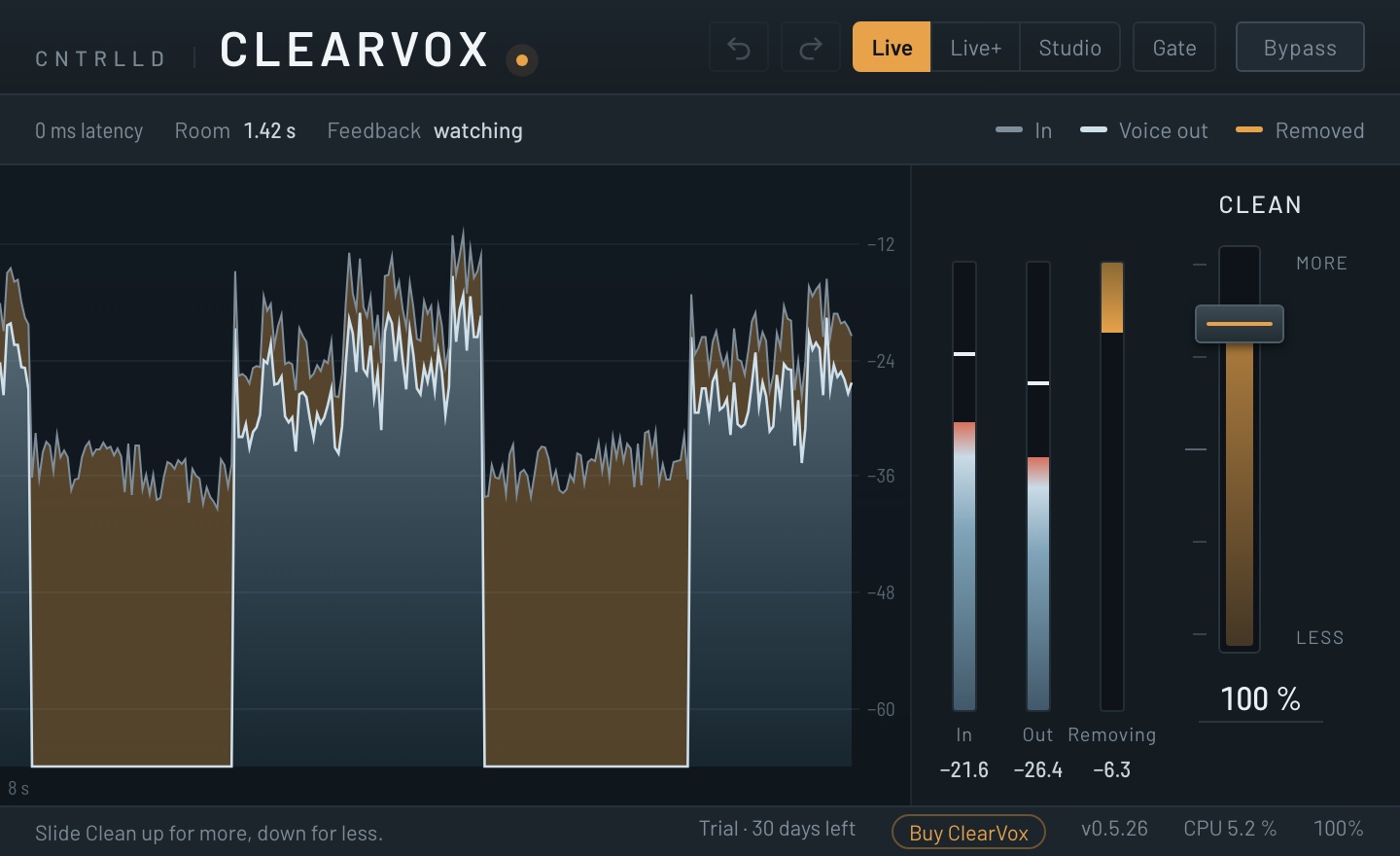
At work

Wordmark and icon
Using all this
Everything on this page may be used to write about SPECTRA and ClearVox: reviews, news, videos, shop listings. Please don’t alter the logos, and don’t present CNTRLLD, SPECTRA or ClearVox as your own product or as an endorsement of something else.
Want a licence to review it? Write to support@cntrlld.com and tell us where you publish. We would rather you tried it properly than wrote from a press release.