Towards a reference
For a mix that is too dark, too bright or too heavy.
Adaptive spectral shaper
SPECTRA evens out resonances, build-ups and holes while the music plays. You draw the sound you want; it does the work.
Free for 30 days — no account, no card. €99 if you keep it.
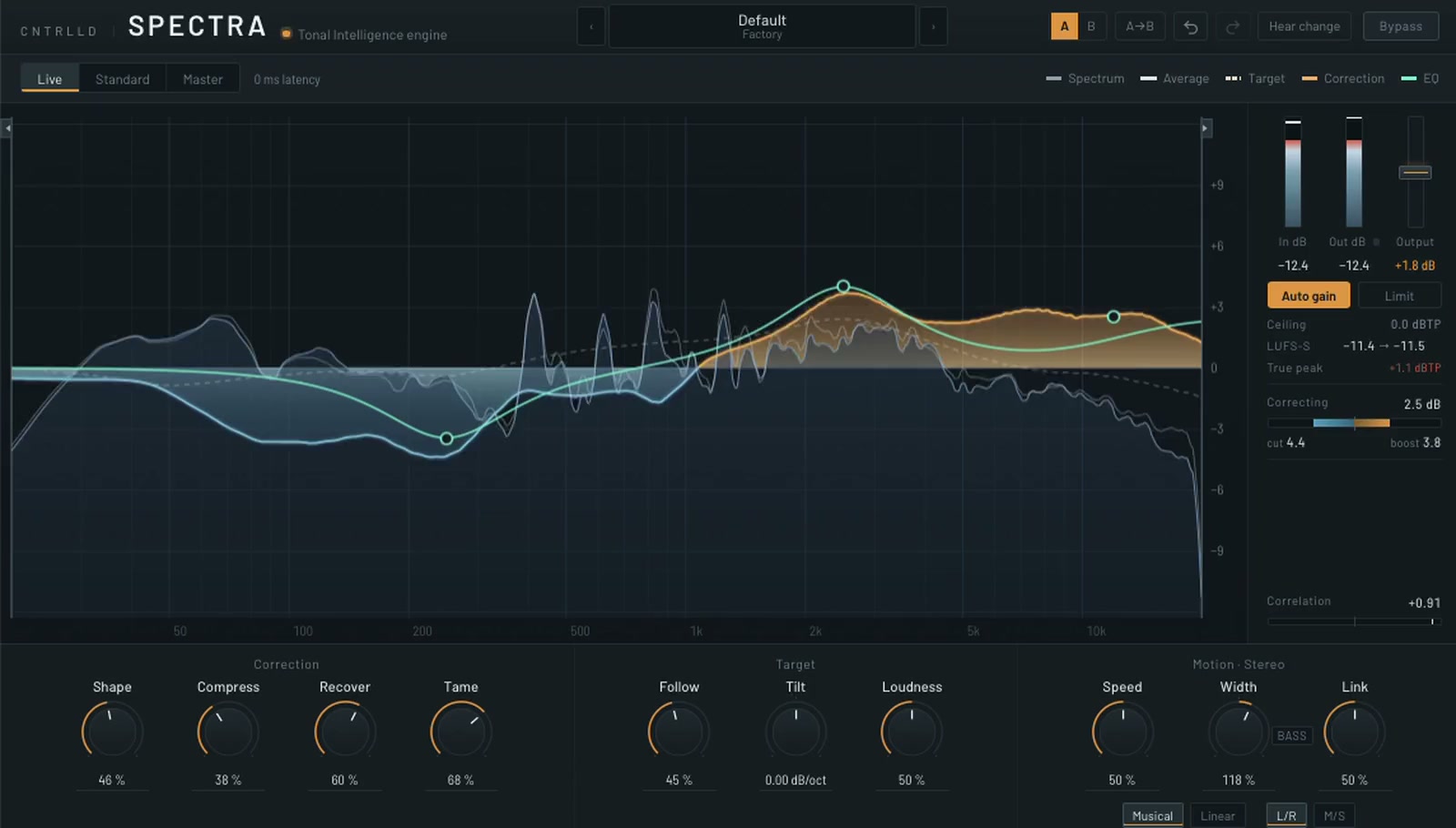
Made to stay on, in the studio and live.
When a build-up or a sweep takes the bass out, SPECTRA doesn’t fill the gap. The drop hits the way it should.
Auto gain keeps the level that comes in. No jumps, not even when the music stops for a moment.
Live mode has zero latency. Track after track, the balance stays where you set it.
One knob, Follow, sets how far SPECTRA steers towards a reference or keeps your own balance.
For a mix that is too dark, too bright or too heavy.
Keeps your sound and only fixes what sticks out: resonances, build-ups, holes.
Drag six points to draw the sound you want. SPECTRA steers towards it, instead of working against you.
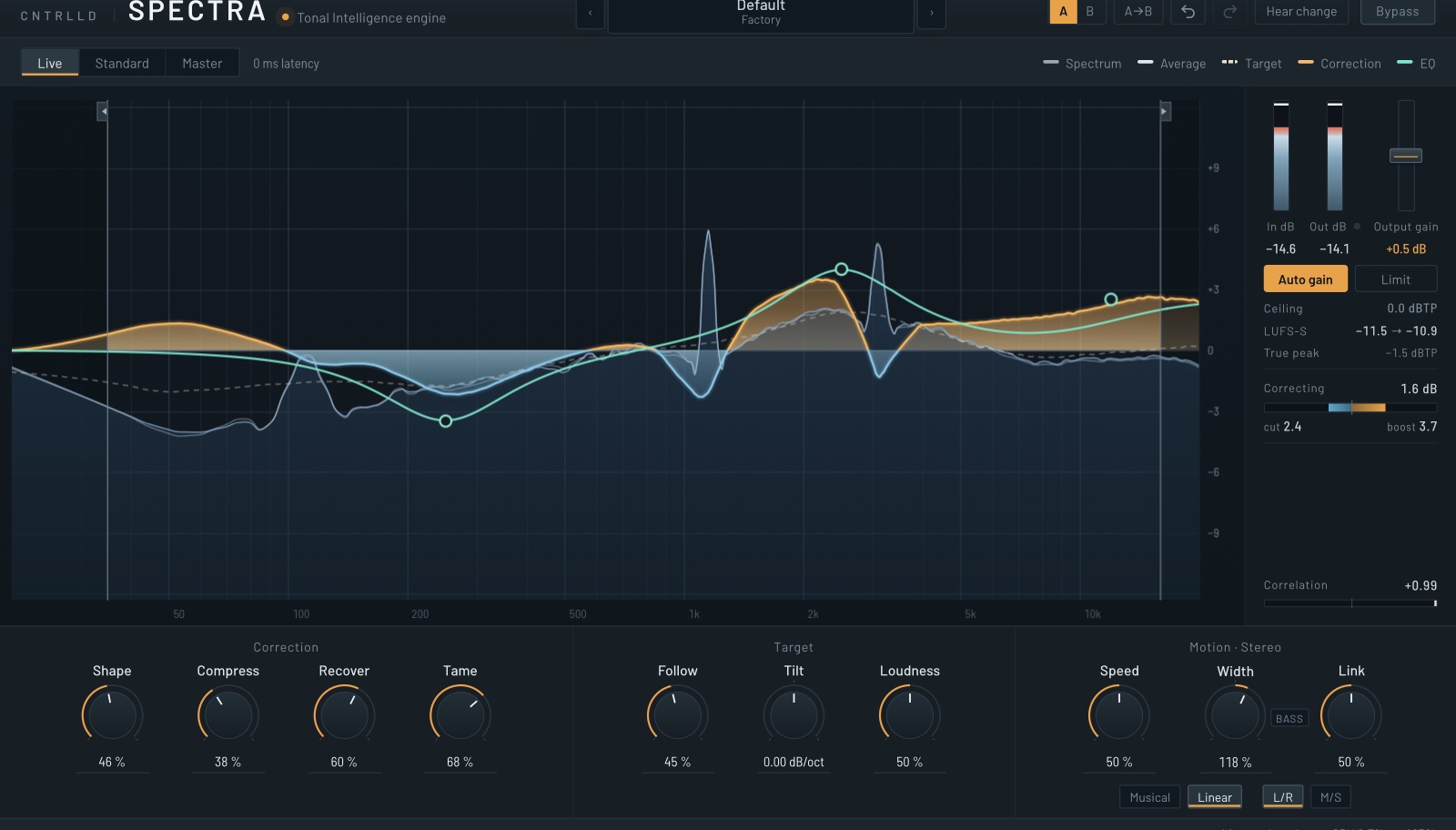
Turn up what you need, and pick the speed that suits the job.
Smooths the overall tone.
Catches a resonance the moment it rings.
Brings back what is hidden.
Holds back what sticks out.
Stereo or mid/side, and switching never clicks.
Try or buy
Use the full version for 30 days. Like it? Buy a licence; it is the same download.
€149 — intro price until version 1. Incl. VAT.
Beta — current build …, release included
Thank you — your licence is on its way by e-mail, and it is always waiting in your account. Taking you to the download…
Prices include VAT where applicable. Refund policy
Around a thousand automated checks on every build, for stability you never have to think about.
A bounce sounds exactly like playback.
Tested on every build.
Listen to only what SPECTRA changes.
Optional, on the output.
SPECTRA runs on Mac today. Leave your address and we’ll tell you when Windows is ready.
One e-mail, about the Windows release. Nothing else, and you can stop it with one click. We ask you to confirm by e-mail first.
| Formats | VST3 and AUWindows (VST3) is on the way |
|---|---|
| macOS | macOS 11 or laterUniversal: Apple Silicon and Intel. Tested on an M2 Pro and on a 2018 MacBook Pro with a Core i5. |
| Sample rates | 44.1 to 192 kHz |
| Latency | Live 0 ms · Standard 4 ms · Master 100 ms+1.35 ms with the limiter on. Reported to the host. |
| Channels | Mono and stereoIn stereo, as L/R or M/S. On a mono track Width, Link and M/S simply have nothing to work on. |
| Tested hosts | Reaper and Logic ProValidated with pluginval at its strictest level and with Apple’s auval on every build. |
| CPU | About 8 % of one core at 48 kHzMeasured on an M2 Pro with everything turned up; around 14 % on a 2018 MacBook Pro. At 96 kHz, roughly double. |
| Licence | A signed licence with your name on itWorks on up to three of your own computers, offline once activated. No iLok, no dongle. |
| Trial | 30 days, nothing held back |
Yes, that is what it’s made for. Zero latency in Live, breaks left alone, and your level stays where it was.
Partly. It measures the spectrum continuously and applies a correction that changes over time, towards a target. The EQ nodes you draw don’t filter the output directly; they change that target. So it’s closer to an automatic engineer with a brief than to a static EQ.
Live for recording and anything monitored in real time, Standard for mixing, Master for mastering when you want no phase shift at all. They steer towards the same curve, so you can set up in Live and switch to Master for the bounce.
Yes. The output is identical at every buffer size, so an offline render at a different block size gives the same result as what you heard.
Every variant can run the whole engine on mid and side separately. The side’s correction fades out when the side is nearly empty, so it won’t boost noise.
The friendly kind. Your licence is a short piece of text with your name and e-mail in it, signed by us. The first time you paste it, SPECTRA activates that computer, once; after that it checks the licence on your own machine and works offline. No iLok, no dongle. The same licence works on up to three computers you use yourself, and moving it to another is a click in your account, as often as you like.
Try the 30-day trial first — that is exactly what it is for. If you bought SPECTRA and it will not run properly on your machine, write to us within 14 days; we will try to fix it, and refund you if we cannot. See the refund policy.
Yes: the full plug-in for 30 days, with nothing held back — no noise bursts, no disabled controls. After that it stops passing audio until you activate it.